Showing posts with label technology. Show all posts

Friday, June 8, 2012

Phone problem

Friday, June 8, 2012
For this entry, I just want to spread that I think I found a workaround for network crash problem that happen when Location Service is used in iOS5 on iPhone 3GS (old-bootrom) with iPad baseband (06.15.00). The proposed redsn0w 0.9.9b6 solution didn't work for me.

First of all, this idea came from a comment at http://www.jailbreakqa.com/questions/75187/network-crash-that-happens-each-time-location-services-is-used-in-ios-5.

Basically, I used sn0wbreeze to create the custom IPSW and then shift-restore my 3GS via iTunes using the custom IPSW. Done.

In summary,
What I have before:
-iOS5.1 for 3GS custom made with redsn0w.
-Carrier unlocked with ultrasn0w.
-Network often crashes when Location Service is used like Google Maps, Foursquare ='(

What I have now:
-iOS5.1.1 for 3GS custom made with sn0wbreeze.
-Carrier not yet unlocked. I don't need to unlock it for now since I am using the official carrier. However I think ultrasn0w should be able to unlock it.
-So far no crash yet when Location Service is on.

I am not aware of any cons of using sn0wbreeze for the moment as it has been only a day since. Will update in case anything happen.

Update 1 (11 June 2012): I have been using Google Map and move around the city for the past 2 days. I found that the app takes longer to determine my exact location as I move from one place to another. Sometimes my "exact" location is off by 50 meter. So for now, it has not much use as GPS. Well, at least it doesn't crash.

Update 2 (21 June 2012): Did you heard about redsn0w 0.9.14.b1? Haha.

Tuesday, January 10, 2012

Building my first modern rig.

Tuesday, January 10, 2012
1)      I have been planning to assemble myself a powerful desktop. Only recently, I found the chance to do so. So, 2 weeks ago, I went online and investigate a desktop setup that can be considered a beast, yet affordable.
After 3 days of sleepless nights identifying the best combination of hardwares, I finally made my purchase at newegg.

2)      ...ジャジャン!! A week later, these came to my door. =D 5 boxes in total. 1 contains a monitor and 1 contains the tower casing. But I don't really care about those two.

It is the other 3 that I have been waiting for.
Upon unboxing, I get these: MORE BOXES!! but definitely more colourful.

Highlights: *drumrollllll*
CPU: Intel i5 2500K
(CPU type: LGA 1155)
GPU: XFX HD Radeon 6870 CrossFireX ready.
SSD: Crucial M4 64GB (SATAIII)
and the rest,
Motherboard: ASRock Z68 Extreme3 Gen3 (for LGA1155)
Heatsink: Cooler Master Hyper 212 Plus (supports LGA 1155)
Hard disk: Hitachi Desktar 1TB (SATAIII)
RAM: G.Skill 4GBx2 DDR3 1600
PSU: PC Power and Cooling Silencer MK III 500W
Optic Drive: Asus DVD Burner (SATA)
Keyboard/Mouse: Logitech MK120 Bundle
As for the OS, we installed 64bit Windows 7 Professional with free key provided by the University service (thanks to Ammar for the heads up, I wonder why I didn't get any email about that).

3)      Assembling the desktop takes about 8 hours of menpower from me and my housemates (thanks to Ammar again, Hafiz, Cimi, and the occasional words of encouragement from the others XD).
The final result is....
SATISFYING =D.


4)     A few things that catch my attention:
-My new desktop can boot up in under 30 seconds. Woot2! Well, without any antivirus though. I wonder how well will it do if I install one.
-In the Windows 7 Windows Experience Index, the slowest component is the CPU and RAM with rating of 7.5. I was expecting the hard disk to be the slowest, but the opposite happened, the hard disk maxed to 7.9. o.O..... is this the power of SSD?
-The desktop is surprisingly quiet, even with 2 chassis fan, 1 CPU fan, 2 GPU fan, and 1 PSU fan. Two friends of mine who went to my room after the assembly thought that I connect the big monitor to my laptop instead, and didn't realize a big desktop house is there.

5)     The verdict. This purchase is satisfying. I believe the specs could last for at least another 3 years before the rig become less-supported. The only thing that I have to think now is... how to ship it to Malaysia later. -.-" I can only think of contenna courrier for now. Well, I'll save that thought for later =D.
My newly renovated workstation. Really, I plan to work with it, no kidding.

p/s: I actually made a mistake in choosing the PSU because 500W is not enough to do multi-GPU (aka AMD CrossFireX or nVidia SLi). Heh, typical kind of mistake if you only have yourself to consult with. As the result of this, I will have to buy a new PSU if I want to do CrossFireX in the future.

In the meantime however, a run through Skyrim and Assassins Creed Brotherhood in High Setting 1080p prove that I may not even need it. They are able to maintain steady rate of frame per second between 50 to 60 with not very common drop to 40 fps. Meh, I guess I can live with that.

Thursday, December 1, 2011

Another day of winter: Battery

Thursday, December 1, 2011
Hahah.

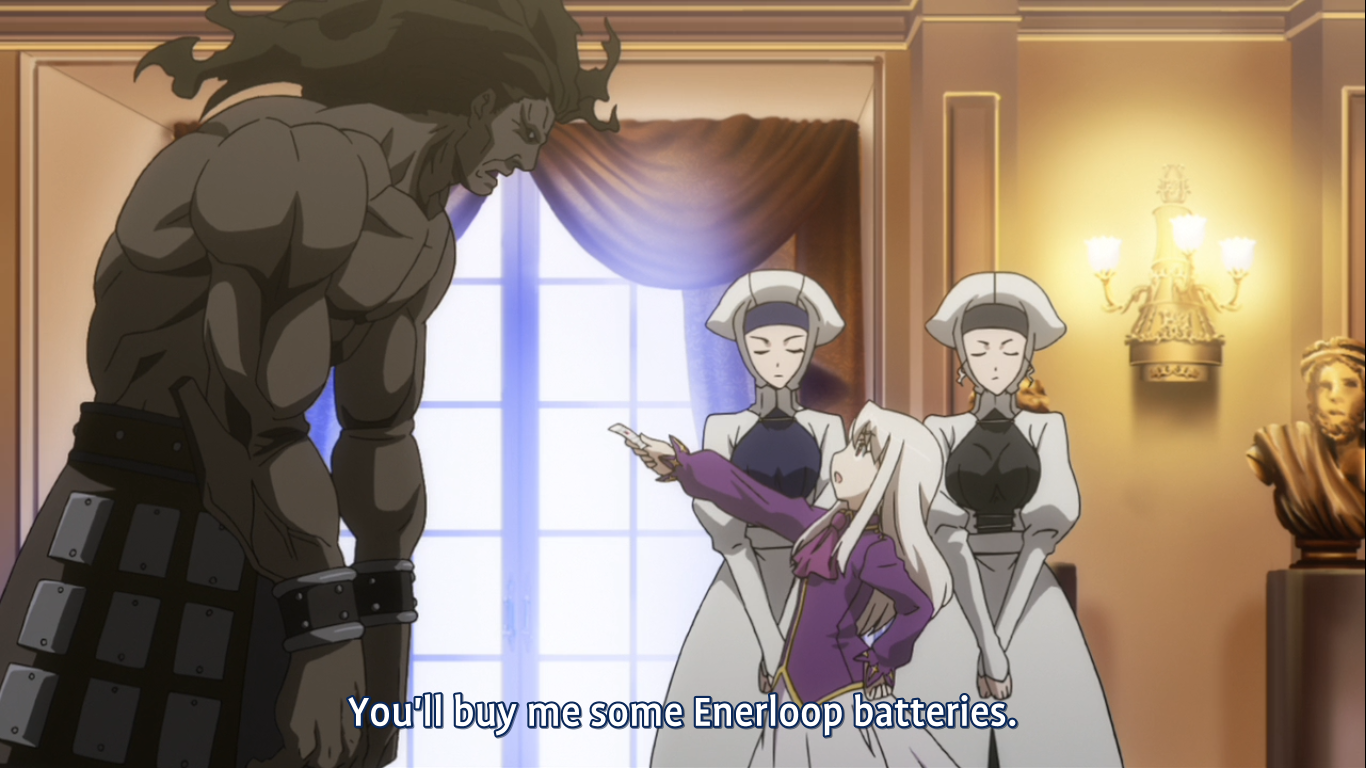
The other day, I was watching an episode of Type-Moon's Carnival Phantasm when a character from that episode mentions about "Enerloop" batteries.


Honestly, that was the first time I heard about that brand.

Anyway, time goes by, and a friend of mine recently ordered a set of batteries online.
And to my surprise, he ordered Eneloop batteries!!... Oh! The brand actually does EXIST, so I said with excitement. (with a minor difference, i.e the spelling is different compared to the one in anime: Enerloop vs Eneloop.)

Since I am also coincidentally in need of rechargeable batteries to power my noise cancelling headphones, I told myself... Why not? Moreover, I heard that these batteries last substantially longer than conventional rechargeable batteries.

Long story short, two days ago I went online and bought a set of Eneloop batteries with chargers for CAD 29.

Today, this came to my door... =D

8x AA + 4x AAA + 1 Charger for CAD29.
Woot woot woot!!

Friday, April 23, 2010

Guide - decrease loading time for FOLDER with massive items

Friday, April 23, 2010
"My music folder loading time decreased from 4 seconds to... almost instantly! XD", Shahro

This guide is also for you if...

1) You are using Windows 7 (Might as well occur to XP or Vista, but the problem is less obvious for those OS)

2) You always open certain folders in your PC which contains A LOT of files particularly, music, photos, videos, documents.

3) ..and of course, you get annoyed by the time taken for all those files n its thumbnails to completely show up,   
OR  you hate hearing your hard disk making noises as those files are being accessed,   
OR  you imagine the equation 'lim n-to-infinity, [certain log eqn] = [certain limit]' every time you see the green progress bar. XD


Solution?
1. Go to the respective problematic folder.
2. Right-click it > Properties
3. Go to Customize tab.
4. Choose one type of folder type to be applied. (Usually chosen for you already)
5. The MAIN part!!! Tick the 'Also apply this template to all subfolders'.

6. Done! Click OK.
By doing this, you prevented Windows from doing the hassle of determining folder types for you, hence saving much more time, and laptop's battery power.
Test the difference if you don't believe me :).

Credit to 'http://www.ghacks.net/2010/02/04/fix-slow-folders-in-windows-7/'

[p/s: Today I wake up early.... very very early. Yay!]
[p/s2: Tomorrow I have one big exam. Yeay x2!]

Wednesday, April 21, 2010

Guide - Resize image faster, without using any image editing software.

Wednesday, April 21, 2010
This guide is for...

1) People who want a quick way to resize their pictures without opening any image editing programs which take considerably long time to load (like paint/acdsee/photoshop).
- commonly happens to... people who blogs, and like to put pictures from their digital camera etc.

2) ...and don't like installing new software. (This guide still requires you to install something though, but it is simply a windows extension rather than a software.)

3) Of course.. using Windows XP, Vista, or Windows 7.

Solution?
Image Resizer Powertoy
This is a clone of the Image Resizer Powertoy for Windows XP -- a PowerToy that allows you to right-click on one or more image files in Windows Explorer to resize them.

Many people may have solutions of their own. However I still like to stress why this one works better.
1) Only 2 steps... Right click the picture, and choose the resize option. Both take below 0.1 second.
2) Works for multiple pictures. You just select those files, and right-click on them.
3) It is based on Microsoft's powertoys. Microsoft has discontinued creating any more powertoys after XP. So, the creator extended its compatibility with Vista/7. For the less savvy... this implies that, it simply adds a new feature to Windows, instead of installing new program etc.

Download link: go to their website =), it should be more convenient for them that way I think.
http://imageresizer.codeplex.com

Tuesday, April 13, 2010

Guide - Windows Live Messenger in Windows 7, reverting to the old way

Tuesday, April 13, 2010
This guide is for you if you answer YES to these 3 question.

1) Do you use Windows Live Messenger?

2) Do you use Windows 7?

3) Do you prefer WLM icon appearing at the traybar (near the clock) instead of the taskbar (which is a new change introduced in Windows 7)?


You might answer NO to the third question. However, at least you will be wondering why this issue comes up in the first place.
Here is why;
a) Right click menu of MSN at the traybar seems more responsive than at the taskbar. This is shown when;
 - Sometimes your Unread Inbox Message counter of your inbox seems incorrect in the Taskbar version, which so far never happens to me in the traybar version.
 - Sometimes you end up clicking the msn icon of the Taskbar version multiple times to get to the MSN main screen especially when you are doing heavy work on your PC.
b) If you use Messenger Plus, the 'More Statuses' only appear in the traybar version.
c) Other messengers are still utilizing the traybar. So, you might want to group them together.
d) Some perfectionists consider IM programs as PASSIVE programs. They believe the traybar are for PASSIVE programs while the taskbar are only for ACTIVE programs.

So, have you changed your mind? I don't mind you know. But in case you decided to say YES as well, then go on to the tutorial below. Don't worry, no patching or altering system files involved. It is the legal way. It is only that many people don't know about it.


So, how to revert it to the previous way?

Short answer -
Run Windows Live Messenger in compatibility mode for 'Windows Vista'.

Long answer/ How to - 
1) Go to your Windows Live Messenger shortcuts at the desktop or start menu. Another way is to browse directly to the main exe file at C:\Program Files\Windows Live\Messenger\msnmsgr.exe.
2) Right click > Properties
3) Go to the Compatibility tab.
4) Tick the "Run this program in compatibility mode for:"
5) Select "Windows Vista" from the drop-down menu.
6) Click OK.
7) Finally, exit your WLM, and restart it back.

You may now Un-pin WLM from the taskbar if you want.

That's all thank you.

Credit: http://www.sevenforums.com

Tuesday, December 1, 2009

First experience w/ Win7

Tuesday, December 1, 2009
Ah, the title can't be any more direct can it? XD

OK!
So on the last weekend, I finally received my Win7 upgrade kit sent by people from Dell, containing an instruction booklet, an Upgrade Assistance DVD and a Windows 7 OS installer DVD.


I was... very excited XD

However, I got some assignments to be done that night, so I don't dare to do the installation immediately. I ran the upgrade 2 days later.

Romaji: Windows 7 he no appugure-do.

Now to the process part.
Basically, I knew that that the Upgrade Assistance DVD won't help much, but I just run it... for the sake of completeness. So I insert the DVD, run the autoplay exe... It backed up some settings from my existing Dell applications, see which program that will not be compatible for the upgrade, remove any software temporarily.... etc etc.

*I could skip the Upgrade Assistance because I know which driver should be installed on my dell. If you can't recognize which one you should use among the many that are listed on your manufacturer's website, my advice, RUN the Upgrade Assistance. Yeah, w7 also has the drivers built in, but they are generic. Your devices won't perform at theirs top notch without the real driver.
...and the Upgrade Assistance DVD apparently (I think) created another partition (coz I see a new partition listed on my machine during OS installation) on your hard disk to store the back up files... since of course, they cant be written on the DVD.

After all the backups, I removed the Upgrade Assistance DVD, and insert the OS installer. I restarted, boot from DVD instead of HD... and walla...
If you have tried installing a vista on any machine, you will know that the interface is similar. I think MS will keep this interface as their trend starting from Vista.
Not much to show, so not much to say either... I finished the installation and introduced to the new GUI =)
Whoa I can't express how much I love the new taskbar.  Oh yes, I had to reinsert the Upgrade Assistance DVD back and it restores updated version of my previous drivers on vista.

That's it, everything's done in around... 3 hours.The only things left are... reinstalling all my applications =.=.... which takes 1 whole day if done continuously.

Like I said in Facebook, that night, I bid my farewell to Vista,
Sayounara =).
Buh bye!

This is how my desktop currently looks like =) It's not empty... only... simplified...
The taskbar has done all the jobs. Things look spacier. I thing I can live without clicking the Start Orb at all =)


I don't plan to customize it further for now =)
The little Dell Dock at the bottom is exceptional, because it is provided by Dell. =)

So in conclusion, despite my various hates toward those big companies, thank you for sending me the kit =)

Wednesday, October 7, 2009

My U wifi

Wednesday, October 7, 2009
After a series of trial and error, finally it reached my inbox =D. Knowing how it works, now can manage my downloads.

and one lesson from this... don't seed too long =D.. or if you don't care much about other ppl, dont seed at all.

Tuesday, November 18, 2008

I should have known

Tuesday, November 18, 2008

"If your local IP address is returned as 169.254.y.z with a subnet mask of 255.255.0.0, the IP address was assigned by the Automatic Private IP Addressing (APIPA) feature of Windows XP Professional. This assignment means that TCP/IP is configured for automatic configuration, that no DHCP server was found, and that no alternative configuration is specified. This configuration has no default gateway for the interface."

.
.
.

That explains it =D


(p/s: I'm the freelance programmer of the future! Yeah!)
(p/s2: This few weeks, I have consumed an extraordinarily insane quantity of caffeine. So, just like how our body have 'oxygen debt' after running, I need some time to purify my veins from the stupid compounds.)
(p/s3: Nah... JK, ignore the p/s2,... I lied...)
(p/s4: I think I got drugged by the story of Alice's Adventure in Wonderland... really. For the past few weeks, the word 'DISORDER' always floats in my mind. Today I unleashed everything in the form of the friggin' assignment. Next two days I'll present my novel to the class. THEN I'LL CLOSE THE CASE. NO MORE ALICE! I'M DONE!)
(p/s5: Ah! I misused my "p/s" corner... disorder disorder disorder... sigh)
(p/s6: hotel626.com... I recommend it very very much. If you think you are a girl, then go to the site, register, and play! If you are a boy, go there, register, and scream as much as you like!)
(p/s7: So far I have never had my haircut at anywhere in Peninsular Malaysia yet... I don't know any suitable place... HELP!)

Friday, October 24, 2008

XP vs Vista (Chips)

Friday, October 24, 2008
By Chips Magazine

Recently I bought a Oct 08 Chips magazine. It seems to be a monthly routine to buy 1 at MPH Bookstore at The Summit for me. XD. This month's release has an article that I've been looking for so long =D =D =D
Remember my post called Noob argue about Vista?

Chips has done the work for me =D. And surprisingly, their conclusion is very much similar to mine.

I wont go through all the test process in this post XD. You will have to buy the mag if you want to know. I'll just put their conclusion here.

"Even though it might sound astonishing, Vista wins hands down. The latest version of Windows comes out as the frontrunner, but only if one has a high speed computer and the latest hardware and software product. Even though the User Account Control can be annoying, with respect to security, the OS offers much more then its predecessor. XP only has partial success - users with sluggish computers or notebooks should keep using this seasoned OS, not just because it is quicker but also because it has virtually none of the hardware of software problems that Vista poses." (October 08, Chips Magazine)

In red is the the thing that is not mentioned in my post earlier.

But the conclusion does not covers everything. Buy the magazine to see the result for each test they did. Both have their own advantage in certain situation. =D =D

(p/s : Work cited. )

Tuesday, August 26, 2008

ばか Router

Tuesday, August 26, 2008

Again, and the past has repeated itself...

Epic, Hectic, Pathetic, Melancholic, Diabolic (=O.. wooh)

Something went wrong with the router again. But, at least this time, the value of a is decreased instead of zero.(y=a sin x)

Hrmm... thats all. =D

(p/s: err.... I just realized that.. ==... via vista, I can know my GPU's memory just by going to the adapter properties ... without doing the lousy calculation in the previous post ==)

Friday, August 22, 2008

My HyperMemory

Friday, August 22, 2008
Sorry, this has nothing to do with my brain watsoever. The HyperMemory simply refers to a technology developed by Ati in heir GPU to enhance mobility experience.

Erm... actually, I'm quite curious about my graphic card... It is Ati Mobility Radeon x2300 by the way.

Before scrolling any further, it is good to know that, there are 2 possible type of memory for any graphic processor.

1) Integrated/Shared Memory - You graphic processor will use your system RAM to store data. (ex. Intel Extreme/ Intel Extreme 2)
2) Dedicated memory - Your graphic processor has its own memory to store data. (ex. nVidia, Ati)

...and then, what is HyperMemory?
... From what I've learned so far, HyperMemory is a technology developed by Ati that expands the available dedicated memory in the graphic card by sharing memory from the system RAM.


My graphic card has HyperMemory technology, so in other words, it utilises both of the dedicated memory and some system RAM for graphic processing purpose.

HyperMemory = Dedicated memory + shared memory

The following is the report from Ati Control Centre and DxDiag, showing how much memory are used for graphic processing. It shows 895MB.
From the picture below, we know that my graphic card has 128MB dedicated memory on-board.

Simple math, calculate

894MB = 128MB + Shared Memory

Here's the big question...

DOES THAT MEANS, I HAVE 766MB OF Shared memory?????????????

Let say... now I have 2Gb of system RAM... So... All this while, Only Around 1.34Gb is available for my Vista???

!@#$

I wont argue abt the HyperMemory, coz maybe because of it, Im able to play DMC4.
However, having less than 2Gb RAM for Vista is like, breeding a herd of cows in a house. LoL!

Thinking of an upgrade...

(p/s: nVidia's version of HyperMemory is called TurboCache, both company must have had a hard time before they came out with the very fancy name, didn't they? =D)
(p/s 2: Before I buy my laptop, mochiron-desu, I already surveyed a lot of sample product. But I noticed that, all the samples, even for the model that I bought, has only 3xxMB of Total Graphic Memory. I hope, my 894MB is fully used and not just a waste)
(p/s 3: Yet to buy my Eng3U novel =D. Just reading 'em from the internet)

Sunday, August 10, 2008

Sinus Arc Hell Period

Sunday, August 10, 2008
Phew!...

After a few daes of suffocating in the sea of waves, I finally able to get connected to the internet =D
Apparently, the problem came from the router itself (I knew it!). After 'curi-curi masuk' into the router room using one of my friend's spare key, we manage to restart the router and problem solved. (Shh..., will ya? =D)

During the "y=a sin x, a=0" period, we only managed to 'survive' using bits & pieces of signal from the lower floor. Ahaha.

Actually I have other thing that I planned a few daes ago to be included in this post, but somehow, I forgot...
I'll post again anytime soon as soon as I recover them =D

Tuesday, August 5, 2008

My greenscreen T_T I miss them...

Tuesday, August 5, 2008

Lately I feel a bit empty without doing some heavy photoshopping. (ROFL, is that a correct word?).

First... I did not bring my camera... so, i'm not able to take any good quality picture...

Secondly... No greenscreen...
Well, I did brought my blue school bed sheet from my previous school(haha!) just in case.. but then, i realized that there is another thing missing,

that is the third... lighting... the round pendaflour is just not enough =D. Flash from the camera alone would create a terrifying shadow of darkness which could leap into another dimension of space where time flows like the behaviour of the sea wave instead of a steady river. Nah

Sincerely, I want to get into the Computer Science course... but I didn't have the chance. Sob. And then... there seems to be no computer club here... But they do have Anime Club.. which unfortunately I'm trying to diverge myself away from... ermm... unless someone can prove me that it is worth entering =D.
(Ah, Haruhi is different story, it was based on visual novel)

Back to the topic...

Living in here actually gave me a lot of idea how to deal with photoshop, but I just dont have the time. So swt.

Oh ya! I forgot to mentioned that, I bought a laptop cushion and a laptop bag during the PC Fair =D. Just bought cheap one ler. As long as my laptop can withstand the resonance of my body. (another lol).

And then what else? Er....
Oh ya... just arounf 70 minutes earlier, I just passed up my English 1000 words essay via email to the lecturer. It is not really that significant, but I feel like telling it.

Mood for today? Bored coz too tired. Perhaps it is because of the drawback from consuming 'da*n-a-lot' of caffeine this morning. Plus finishing class at 6.

Oyasuminasai.

Thursday, July 31, 2008

Noob argue about Vista

Thursday, July 31, 2008
XP? Bleh, why building a small hut if your land can fit a house.
Well, in this case, the 'land' refers directly refers to my computer capabilities while XP = hut and Vista = house. LoL (yes, of course, you also need a lil more money for the house)

In conclusion, if your hardware requirement is good enough to run Vista, then GO FOR IT!
If your hardware component is good, it will run smoothly, you wont complaint, and that's the proof.

Otherwise, use XP then.

And then, noob often say something like "Vista is not compatible with some software"...
that is not really correct, and it is a really pure noob statement. The correct way to say it is, "Some software is not compatible with Vista". To elaborate, it's not the operating system that should be modified to suit the software, but instead, it is the software that should be improved to work on Vista.


Ah! Looks like I've been supporting Microsoft by creating this post. Maybe I'll put something about Mac in the future. That will keep the world in balance. LOL.
I just create this article to express my feeling toward people who keep saying "Vista is bad". Well, I also did say that before, but not now. It is important to note that, I do not say anything bad about XP either.

In conclusion... "XP is SUPERB, while Vista is a bit more ahead, it just needs support from the software designers".

PC Fair!!

Hrmm...
So?

Starting from this Friday, (tmr precisely) there will be a PC Fair at KL Convention Centre. I'm thinking of a way to go there ==.

Well, what should I buy?

Laptop hardware/software? Nope, I have upgraded everything possible before I come to KL. Except for Windows Vista ler. I'm still using the Home Premium. Well, even if I have the chance to upgrade, I'll think about the Vista Ultimate solely because of the Dynamic wallpaper & Full backup feature. Other than that, nah, no reason. The other feature just wasting my memory resources.

Erm.. digital cameras? Nah, not needed, lol. It is easier & much cheaper to borrow =D

Handphone? Well, I do think about it, but... nah... Laterz. I cant ensure a stable financial condition within the next 3 years yet. But if it is ok, then the option will automaticaly be available =D

Oh ya... I think I know....
A laptop backpack.... and a laptop cooler. I'm lacking of those. Laptop cooler isn't that pricey.. but the backpack... == I guess I need to do some price survey again.

Monday, June 9, 2008

My Mini Greenscreen

Monday, June 9, 2008
Ahaha! Well, I've been planning this thing quite long time ago. The urge came yesterday, when I accidentally visited a Youtube video of a fan-made Power Rangers parody. On top of that, [as a newb] I've discovered a better photoshop technique, so a greenscreen comes to mind =D. I wonder what is the difference between the greenscreen and the bluescreen(not in computer term, please) that they often use during film-making. Do they have different purposes? That reminds me of The Making of The Matrix. Hohoho.

So, desperate enough, I went to nearby stores (area Satok lah, mane lagi =D) to buy the materials.


I've got a few big colour papers, A4 size colour papers, cello tape, a lamp bought from a discount store (XD), wire extension[for the lamp], 2-pin socket [since I extended the wire], black PVC tape, and a 14w florescent bulb. Except for the bulb, everything else can be considered as cheap. Haha. Suitable for a cheap project like this.

Initially, I plan to make the green screen using the big green paper. But then... what the...,bought the wrong paper type! The surface is highly reflective! I forgot to double check it at the shop ==. Luckily I still have the green A4 papers. Because of my mistake, I need to do more work on joining these A4 pieces together -.-".

Tick tock tick tock, after a few hours(including the time I took for lunch break), the result is..... not so good, but satisfied me =D.


Please don't comment much because this is just a simple, cheap and desperate project =D. The glare appears because I took the picture from different angle and with different camera mode =D. The A4 papers sure are annoying ==. Maybe I'll go search for a better fabric next time or should I buy the EEFX Chromakey Greenscreen set? Haha!


The shadow is irritating, pif. Too bad I only have one lamp as light source. If I have two, I could have put them at the left and the right side instead of putting one at the top, hence minimizing the shadow. Well, I admit, this is very far from being a seamless greenscreen.


...and that's it, my first mini greenscreen. Opps, forgot to mention, "hand-made". ^^
 
◄Design by Pocket ►